
GCash Complete Guide 2026 [Every Filipino must Know]
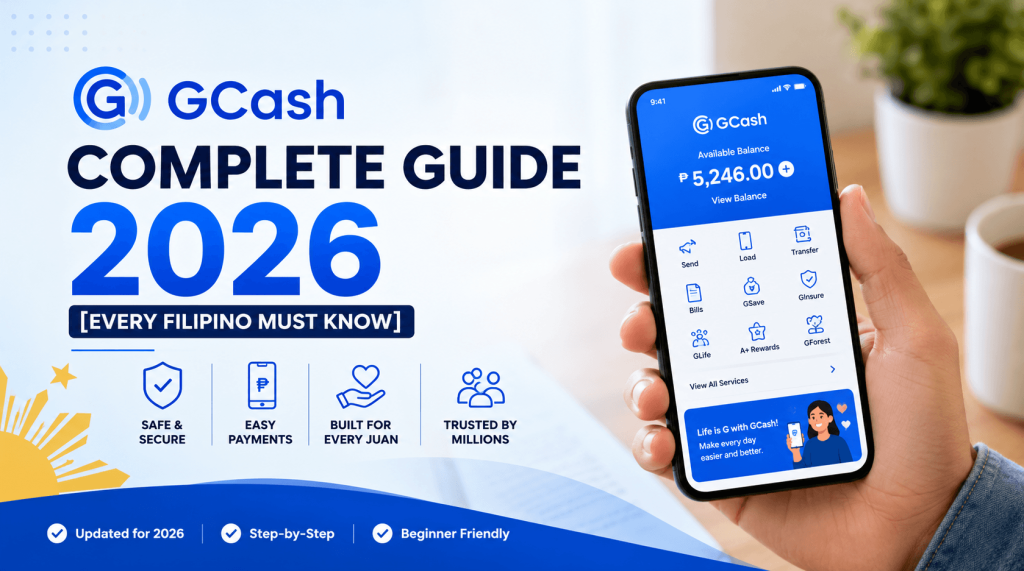
When you send money to your loved ones, pay bills, or recharge your favorite game, there is only one app that millions of Filipinos use daily. With over 94 million subscribers and counting, the GCash app has become more than just another digital wallet; it is the core of financial transactions in the country.
In this article, we tell you all about the GCash app
- How to log in to your GCash account
- What GGives is and how to use it
- How to contact the GCash help center
- The official GCash hotline number to call when you need help.
What Is GCash and Why Does Everybody in Philippines Like It?
GCash is a financial super application that is run by Mynt (Globe Fintech Innovations Inc.) and controlled by the central banking authority of the Philippines (BSP). GCash basically allows you to send or receive funds, pay utility bills, buy prepaid load cards, shop online, and invest using your phone.
What makes GCash different from a regular bank? Speed, accessibility, and convenience. You don’t have to open a bank account to start using GCash. With just your Globe or TM number, you can install the GCash app and start transferring money immediately. To many people in the Philippines without access to traditional banking services, this has literally opened doors to new opportunities.
But today, GCash is far more than a payment service. It also allows you to deposit cash, borrow microloans (GLoan), make installment purchases (GGives), get insurance coverage, and invest in other financial products.
How to Do Your GCash Login (Step by Step)
It is easy to log into your GCash account; however, there are a few things to remember to ensure security.
Step 1
Log into the GCash app through your smartphone. Ensure that you downloaded the GCash app by searching for "GCash" on Google Play or Apple App store.
Step 2
Input your registered mobile phone number. The mobile phone number is your Globe or TM number used during registration.
Step 3
Enter your 4-digit MPIN or My PIN. The MPIN is your personal PIN. Remember that you should not reveal your PIN because GCash does not require you to enter your MPIN in any transaction.
Step 4
You can use authentication for biometric login if your device allows face detection and fingerprint recognition.
Problems logging in? In case you have forgotten your MPIN and are unable to log in, you may click “Forgot MPIN.” Then, you will need to follow the process for account recovery. Also, you can refer to the help center for GCash (see section below).
Security advice: It is important that you are always aware of logging into the official GCash app. It is important to avoid entering your GCash login information on unauthorized sites and messages through SMS or Facebook.
Overview of All GCash App Features in 2026
In recent years, a lot has changed when it comes to the GCash app. Below is a brief rundown of all the features you can use via your GCash app:
Money Transfer
Instant transfer to other GCash users or more than 40 partner banks through InstaPay – anytime, as GCash works around the clock.
Payment of Bills and Buying of Load
The GCash app allows payments and load purchases from over 400 billers in the country, including those related to electricity bills, water bills, internet bills, credit cards, SSS, PhilHealth, etc.
GSave – Make Your Money Grow
Through GLife Marketplace, you can easily open an interest-bearing savings account with one of several GCash partner banks (BPI, CIMB, Maybank Philippines, and others).
GLoan – Quick Money Loan Service
If you are eligible, you can get a loan of up to ₱25,000 with GLoan inside the GCash app; the loan funds will be credited instantly to your account. Loan eligibility depends on your GScore – your credit rating score according to GCash’s standards.
GInvest – Mutual Fund Investment
To increase your earnings, there is GInvest – a service that allows Filipinos to invest in mutual funds from GCash app with a starting amount of just ₱50.
Payments in Online Shops and Physical Stores
Make a payment using QR codes or pay on websites with GCash – hundreds of online shops accept this mobile payment solution.
Pera Coach – AI Financial Assistant
Pera Coach is one of the newest additions in GCash 2026 – it is an AI financial assistant powered by Microsoft.
Understanding GGives: GCash's Buy Now, Pay Later Service
The most recent addition to the GCash app is GGives, which is GCash’s buy now, pay later feature. This feature allows users to pay for goods and services when they want and pay later without having enough money in their bank accounts.
GGives Overview
The service offered through GGives is provided by Fuse Lending, Inc., which is regulated by the BSP. It works as a type of credit installment scheme that has been integrated into the GCash app. If a user purchases products from a GGives partner merchant — either online or in-store — then the total price can be paid in installments of 2, 3, 6, 9, or 12 months without making a down payment.
The maximum purchasing limit allowed through GGives is ₱125,000, depending on a user’s GScore and credit limit. The interest rate can also be 0% if a merchant or promotion offers it.
Where Does GGives Work?
GGives is accepted by over 5,000 GGives merchants throughout the Philippines, which include convenience stores, supermarkets, drugstores, restaurants, electronic product stores, transportation services, among others. This credit installment service can also be used for online transactions in GLife, a marketplace on GCash.
Activating GGives on GCash App
Launch the GCash app.
Click “View All GCash Services.”
In the Financial Services tab, click GGives.
Confirm your eligibility for this service — only fully verified GCash accounts with GScore qualify.
Once you become eligible, activate GGives and check your credit limit right away.
Note: GGives cannot be activated by all GCash accounts simultaneously because GCash provides this feature in stages based on batch. If you are not eligible, simply maintain your GScore by frequently using the GCash app and paying off previous loans.
Study Now, Pay Later: GGives for Students' Parents
GCash also has its own study now, pay later program through which parents and guardians can pay their students’ tuition fee in monthly installments of 6 to 12 months.
Where To Seek Assistance With GCash Help Center?
Facing problems with your account? Then it’s time to get in touch with GCash help center. It is available around the clock and provides assistance with all the possible issues including account recovery, dispute transactions, and more.
How Can I Contact the GCash Help Center?
Using the application: Open GCash app, tap the profile icon, find “Help” section and read the article that provides step-by-step solutions to the problem. This is the fastest way to get your issue resolved.
Online: Visit help.gcash.com using any browser to find information about the service and submit your ticket.
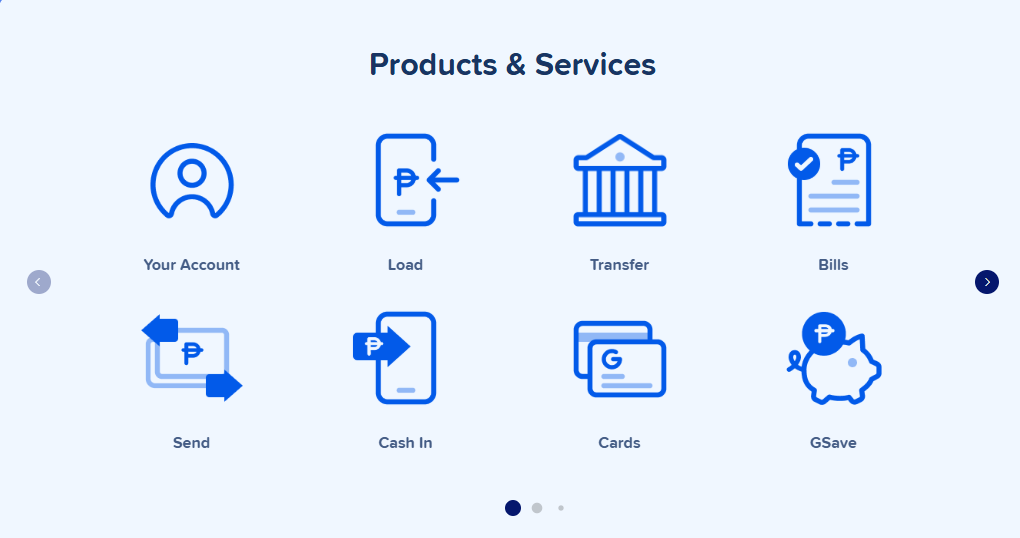
Help Center Structure
This is how the GCash Help Center is divided based on concern type:
Simple issues (forgot my MPIN, what should I do next): self-service guides solve these issues right away.
Medium issues (transaction failed, requested a refund): ticketing system allows customers to report their issue to be reviewed by a support representative.
Complex cases (fraudulent transaction, account takeover, scam): live agents deal with them.
New Features in 2026 That Protect Your Account
Here are two new features introduced by GCash in 2026 that improve security and help protect your accounts:
Account Secure – enables using the same account on only one device.
DoubleSafe – requires verifying your identity with the selfie whenever performing some critical operations such as transferring money and modifying the account settings.
It is especially important now when scams and phishing have become increasingly widespread. Make sure to contact the official sources – the GCash app and help.gcash.com.
How to Contact GCash Customer Support on Hotline
If your query requires live assistance from a customer service representative, you can contact the official GCash hotline.
|
Network
|
GCash Hotline Number
|
Free / Fees
|
|---|---|---|
Some instances where the use of the GCash hotline is recommended include:
- Any form of fraud or hacking into your GCash account
- Major cases of wrong-sends
- If account recovery fails to work via app method
Otherwise, for other problems that do not require immediate attention, it will be more convenient to submit a ticket at the GCash Help Center.
GCash for Gaming and Gambling in the Philippines
If you gamble online at casinos or do sports betting in the Philippines, you have probably been using GCash as your preferred mode of payment – for valid reasons.
Transfers in and out from online casinos are quicker when done through GCash compared to normal bank transfers. The vast majority of popular sites support GCash payments, and it takes only a few minutes to process the transactions. You do not need credit cards, nor do you need verification.
The basic procedure for most players when making deposits or withdrawals with GCash for gaming is:
- Deposit: Go into the casino game site, click the deposit button, select GCash as your payment mode, enter the amount you wish to deposit and authenticate with GCash.
- Withdraw: Click on the option to withdraw, and request for money withdrawal to your GCash wallet account, which should arrive in 5-30 minutes.
GGives is obviously not going to help if you do not want to make a large deposit initially but you definitely won’t be having trouble making withdrawals into a fully funded GCash account.
A good platform that supports GCash deposits and quick withdrawals is Panalobet.
GCash Quick Tips
- Raise your limit to ₱100,000 per month through full verification using any government ID, thus upgrading your wallet limit from ₱8,000 per month.
- Avoid scams by familiarizing yourself with GCash’s official hotline number, 2882, and noting that the company will never request your MPIN or OTP via text message, phone calls, or Facebook messenger.
- Practice restraint when using GGives — this feature may seem like a blessing but should be used as cautiously as using a credit card, and only make purchases you are certain you can pay back in your installment term.
- Make sure to bookmark help.gcash.com to avoid lengthy calls to the GCash hotline.
- Install the DoubleSafe and Account Secure features from within the GCash app.
Final Thoughts
Indeed, GCash has revolutionized the way the Filipino population manages their finances — and in the year 2026, that’s definitely not going anywhere. With features like easy login, smooth transactions, GGives installment plans, and more, everything about the GCash application puts you in total control of your financial situation. And should anything go awry, the GCash support center and GCash hotline will be ready to assist.
From newbies to loyal GCash fans, understanding the app in its entirety is critical to making the most of your digital currency.
If you wish to play online games and get instant cash rewards in Gcash — just visit our site..
Please gamble responsibly. Online gaming is intended for entertainment purposes only. If you or someone you know has a gambling problem, seek help from a licensed professional or contact a responsible gambling helpline.